

Built for WooCommerce
Kiito was made for store owners and performance marketers like ourselves, to provide accurate and useful insights that help maximize growth without sacrificing profitability.
Kiito has sections for products, ads, traffic sources and customer lifetime value. Under each section, you will find the following features.
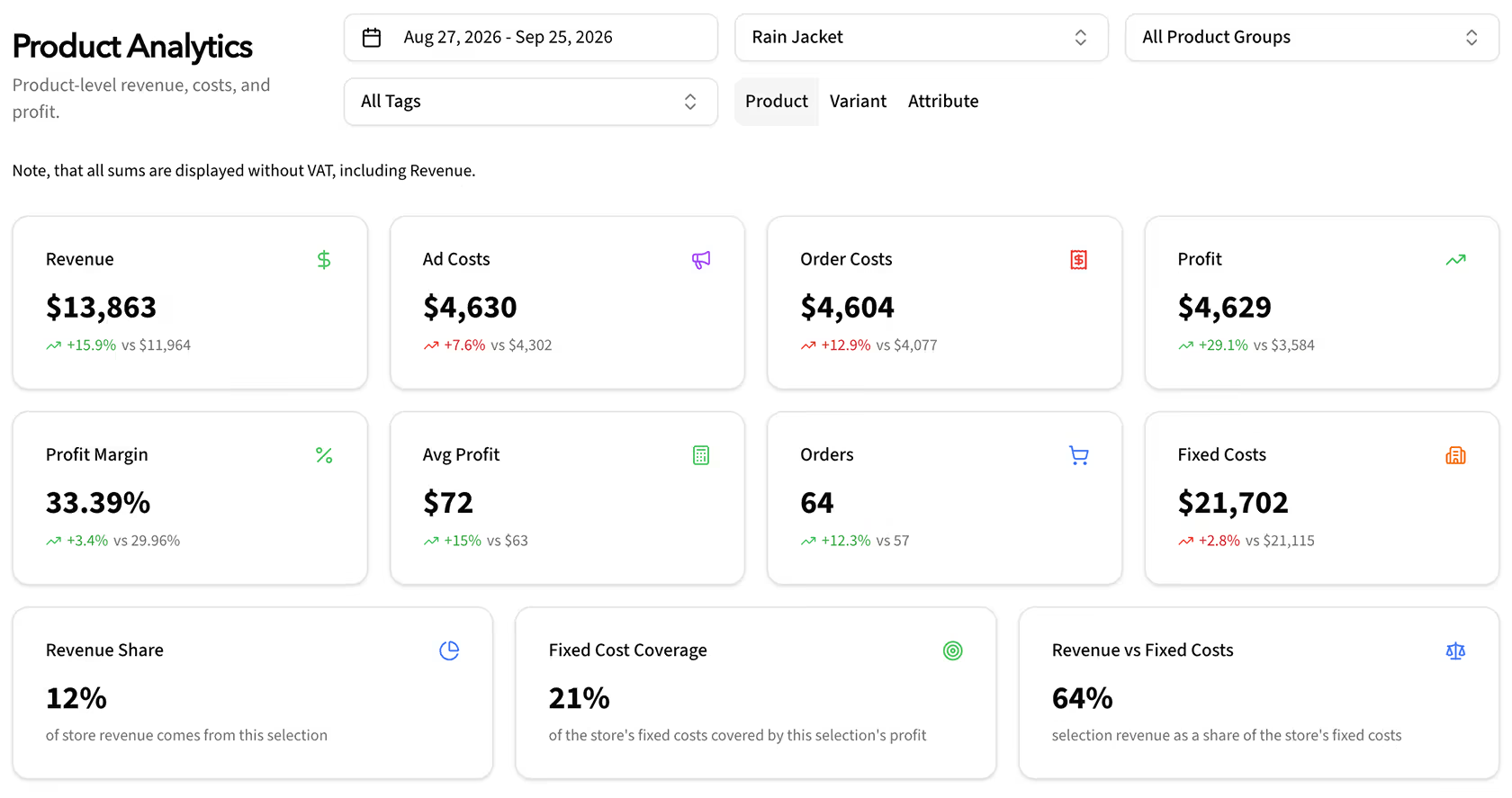
Core KPIs in each section. Overall, how did your business do during the period?
For products, categories, tags, campaigns, ad sets, ads, keywords, traffic channels, UTMs and more!
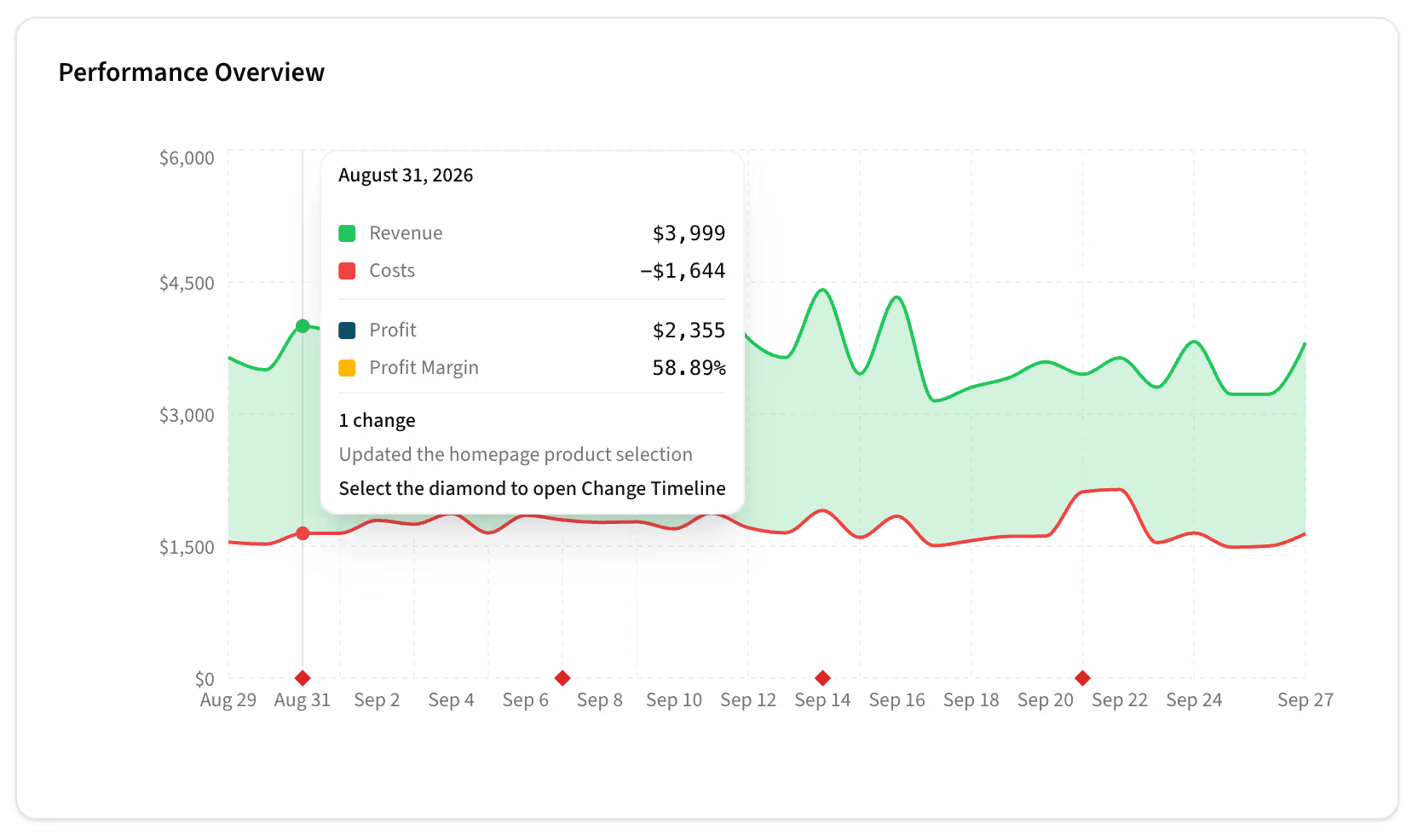
Easy-to-read daily graphs, with financials and change details.
For products, categories, tags, campaigns, ad sets, ads, keywords, traffic channels, UTMs and more!
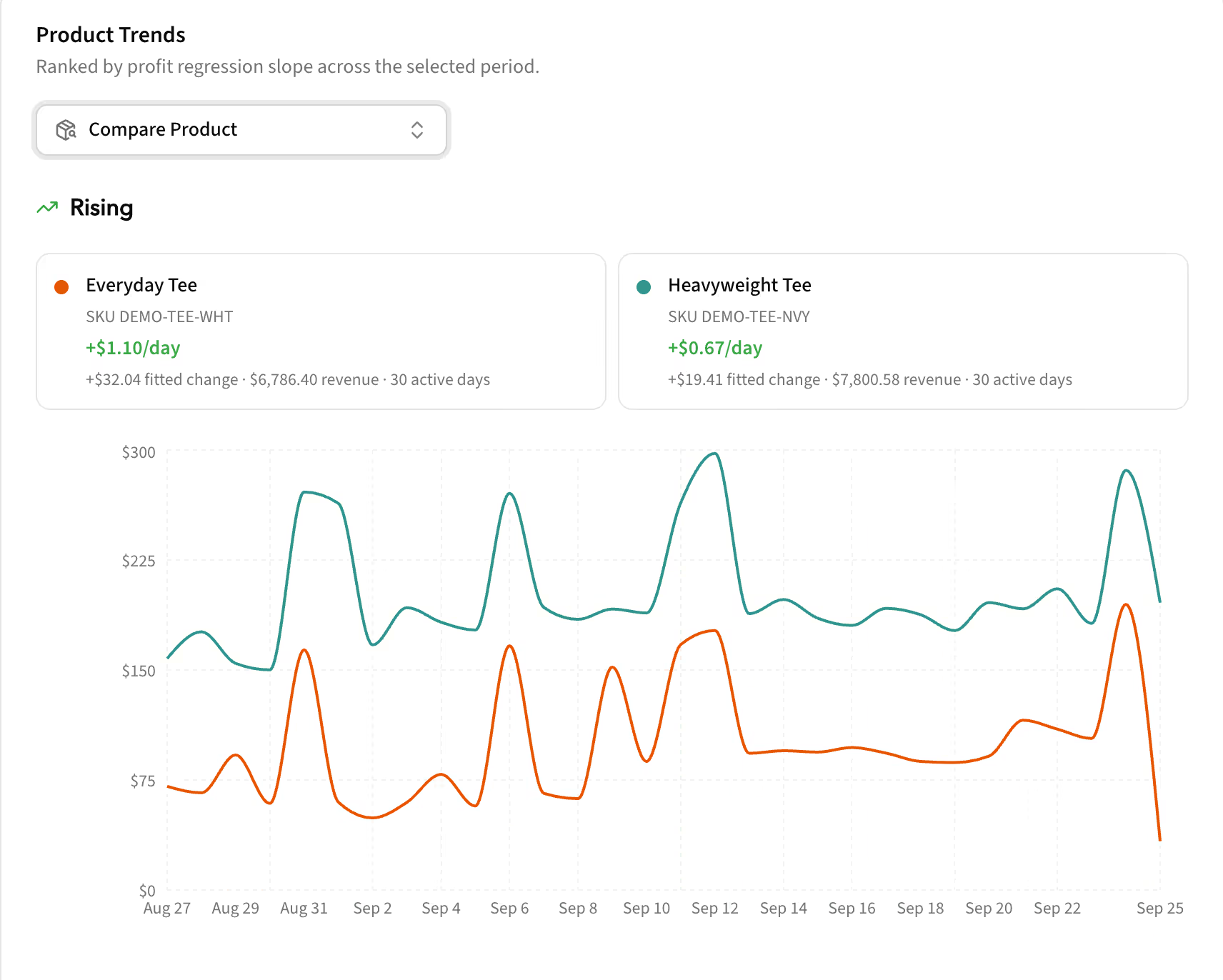
Kiito shows which items start to trend up or down. Notice fatigue early and react to it.
For products, categories, tags, campaigns, ad sets, ads, keywords, traffic channels, UTMs and more!
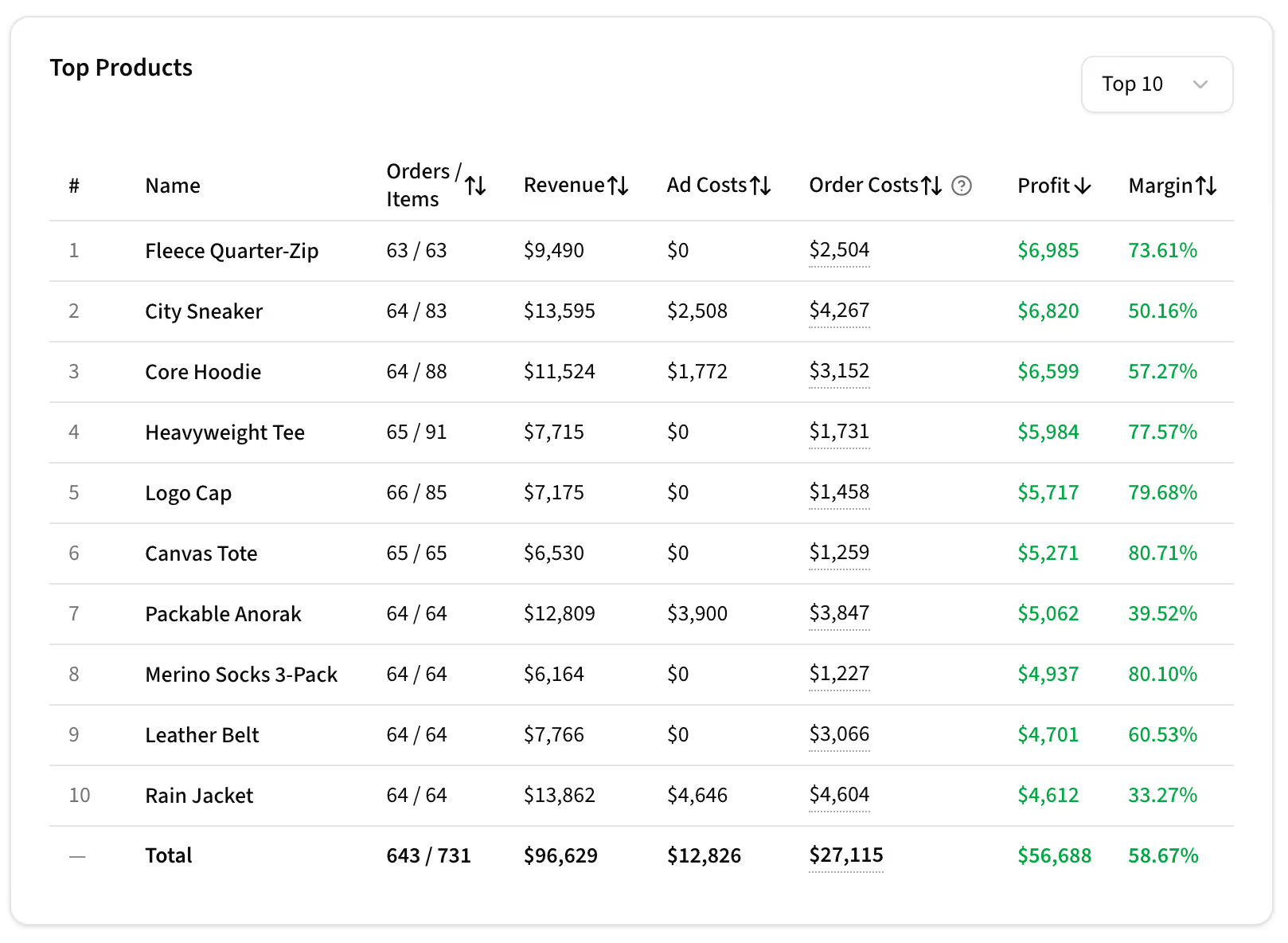
Best and worst performers. Product or campaign selling well might not actually be the best when all costs are added up.
For products, categories, tags, campaigns, ad sets, ads, keywords, traffic channels, UTMs and more!
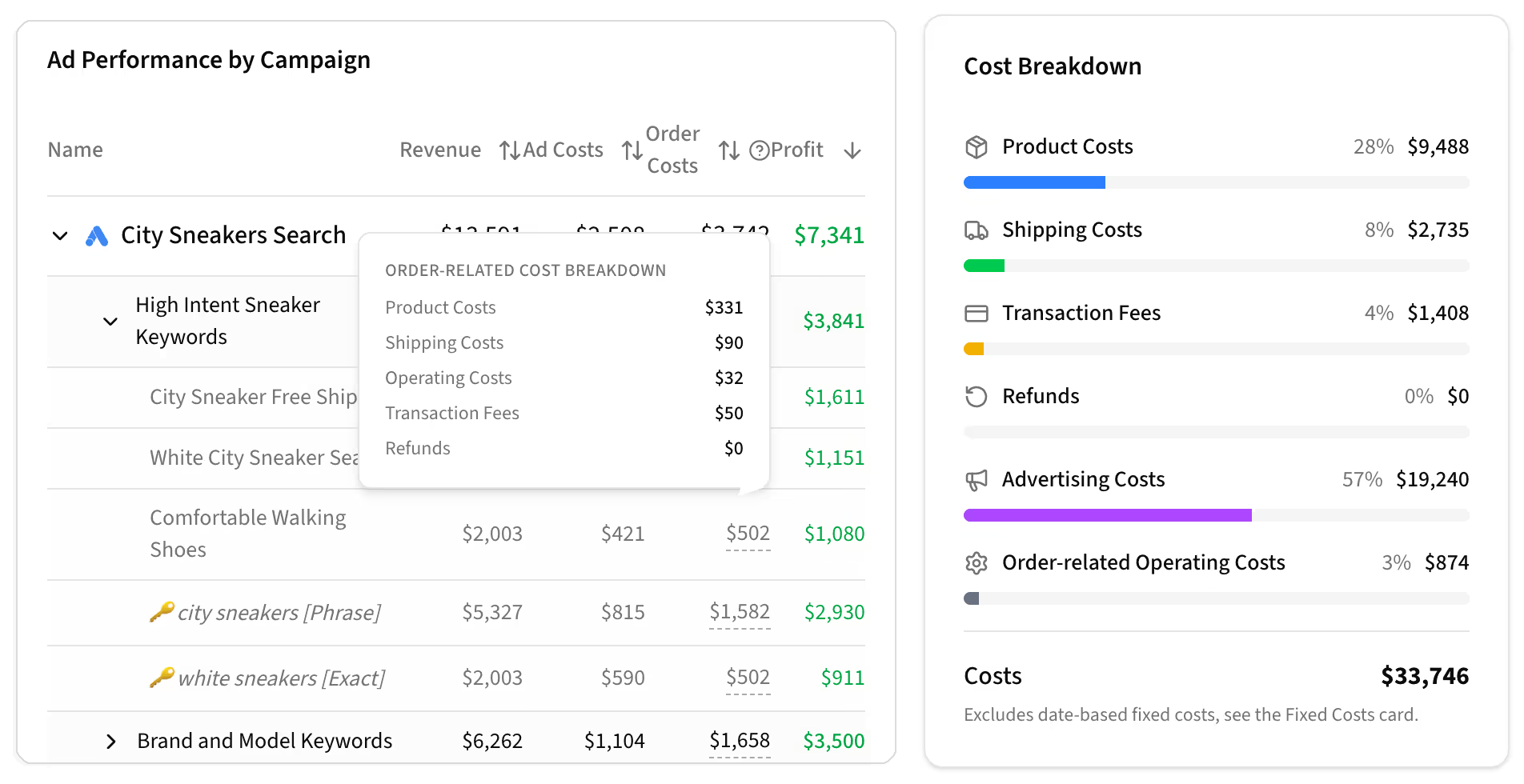
Cost breakdowns per individual item and overall.
For products, categories, tags, campaigns, ad sets, ads, keywords, traffic channels, UTMs and more!
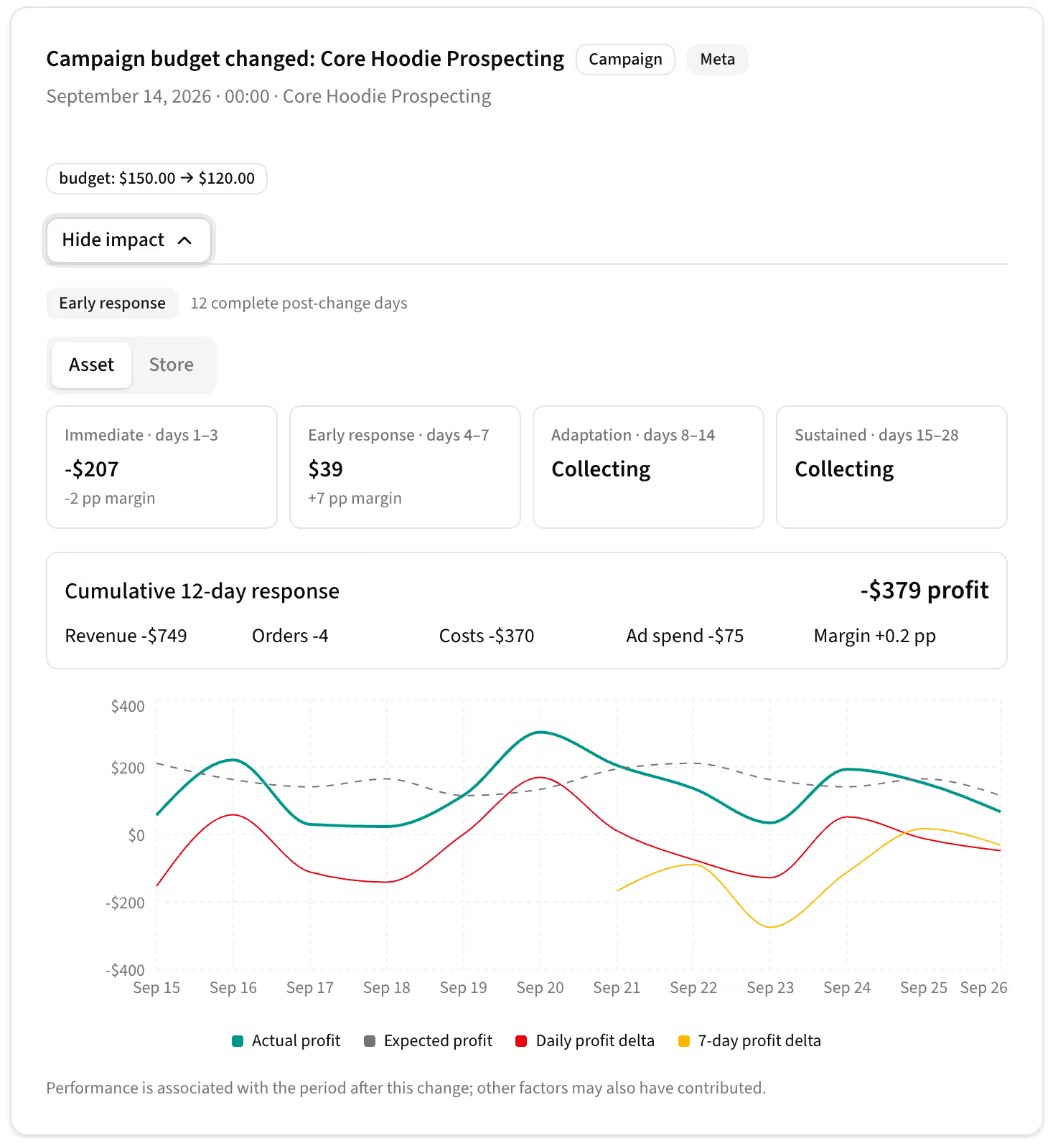
Price, budget and status changes are logged automatically. See each change on the timeline and how it affected the financials.
For products, categories, tags, campaigns, ad sets, ads and keywords.
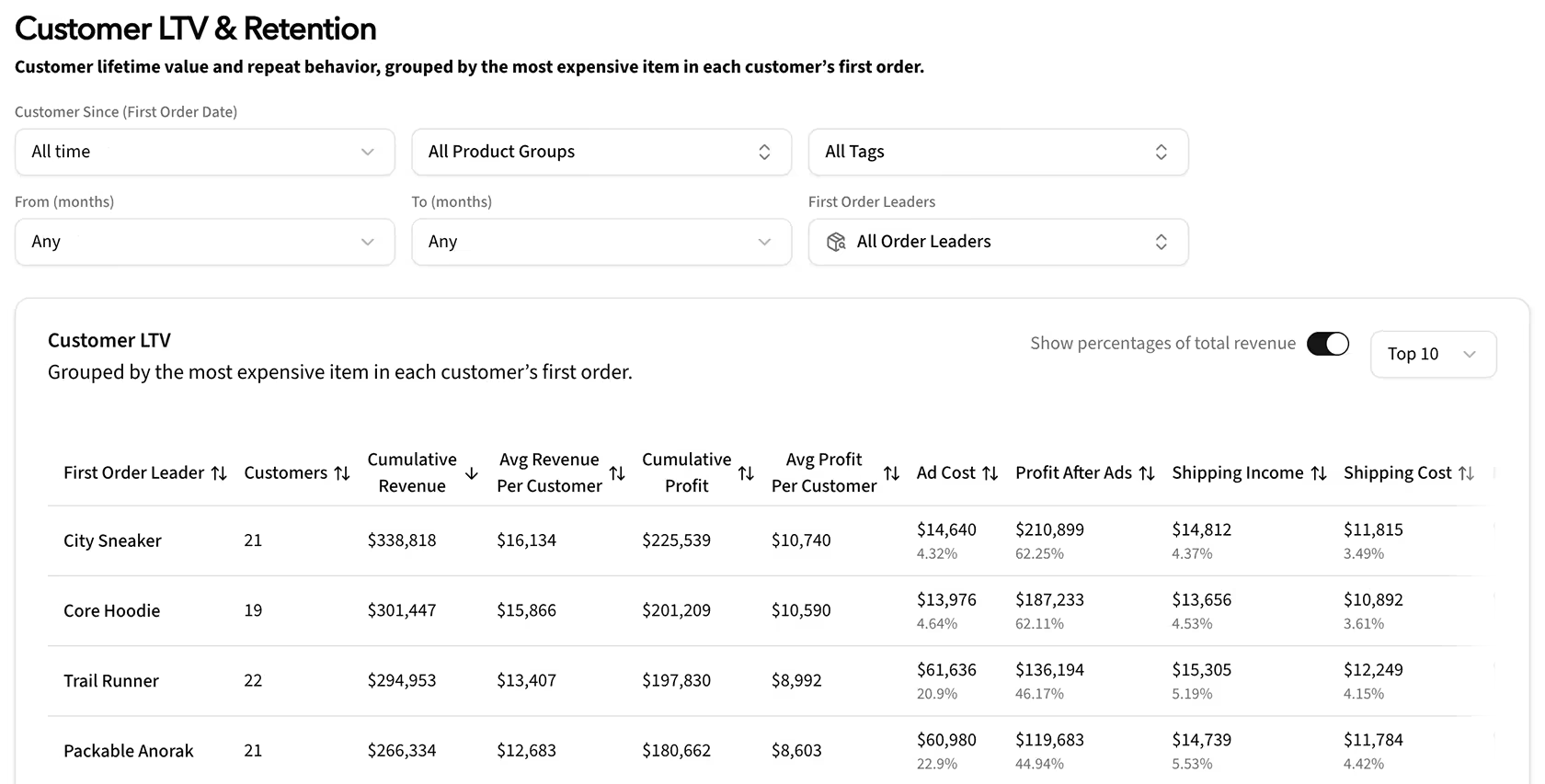
See which products, categories and tags bring in the most profitable customers, measured by lifetime value.
For products, categories and tags.
You notice excellent numbers on Facebook's dashboard. You start smiling — you have finally cracked it! Then you check the orders from WordPress and half the conversions aren't there. That smile disappeared pretty quickly.
Facebook doesn't know that you are also running TikTok, X and Google Ads. It is common for multiple platforms to report a conversion for the same purchase. Your actual CPA and ROAS can therefore be much worse than what the platforms report. Add today's tracking limitations on top of that, and the discrepancy can grow even further.
And even when the data is accurate, ROAS still doesn't tell you whether an ad is actually profitable. Once you account for product, shipping, transaction and other costs, an ad can still make a loss despite a strong ROAS.
Kiito bases its analytics on actual orders and first-party visit data from your WooCommerce store, rather than conversions reported by individual ad platforms. It connects this data with your ad platforms and allocates each order's revenue and costs across the customer's visits, so you can see the actual profit for each ad.
Scale the ads that actually make money – not the ones that only look profitable.
Your monthly price is based only on the ecommerce store revenue we track. Other sales channels and total business revenue don’t affect your price.
Improve your profit within 30 days, or we’ll refund your payment.
No tracking pixels and no developer work. Connect WooCommerce and your advertising accounts in a few clicks, and Kiito begins importing your data.
Using Kiito does not require a deep understanding of performance marketing. Anyone can start using it right away. Setup takes about ten minutes.
We support WooCommerce and Shopify and most ad networks. If some integration is missing or you need a custom implementation, tell us, and help shape what we build next.
In 2022 I started my own DTC ecommerce brand, Zaint. I was happy with the numbers in the advertising platforms. We easily had 3-5x ROAS most of the time. It seemed like we were making good money, yet I realized that our bank balance was actually shrinking.
So I decided to find out why. I wasn’t satisfied with the ecommerce analytics tools available. Many didn’t focus on profit or lacked detailed advertising attribution. Others locked important features behind plans costing hundreds of dollars per month, even for a small store.
I’ve been a software engineer for more than 20 years. As a teen I made visitor counters that served thousands of requests per second from two servers in my closet. Then worked as a consultant for advertising agencies and large online businesses through my own company. So the solution was obvious.
I started developing Kiito with one goal: helping ecommerce stores improve their profitability. It launched in the summer of 2026 – this time running on AWS servers in France instead of in my closet.
With Kiito, we were able to see which ads and keywords were actually profitable and which products had the best margins after accounting for all costs. Most importantly, I saw that we needed more paid traffic to cover our fixed monthly costs. We increased Zaint’s profit margin from around 0% to 30%. It’s amazing how helpful eye-opening statistics can be.
If you have any questions, feature suggestions or aren’t sure whether Kiito is suitable for you or your client, hit me up at niko@kiito.io and I’ll personally get back to you as soon as I can.